DBNS
Density-Based Navier–Stokes
Flow regime
Compressible, transonic–hypersonic
Primary use
External aerodynamics, turbomachinery, high-speed flow
Wake CFD brings GPU-native density-based CFD to external aerodynamics. Flux Reconstruction (FR) and pressure-based (PBNS) solvers are in development. The Community Edition is free.
An AI agent sets up the case, the GPU solves it, and the result can be checked bit-for-bit on CPU.
Describe a case in plain language and an AI agent writes the setup and runs it. The GUI, the agent, and the backend all work on the same case.
Boundary conditions, run control, and post-processing in a native client. Large meshes stay responsive.
Bit-level consistency between CPU and GPU has been a design constraint from the start. You can reproduce any case on CPU and compare.
Every stage of the solve runs directly on the GPU. The same case also runs on a CPU cluster.
Weigh accuracy against throughput and pick what the case needs — double precision (FP64), mixed precision, or single precision (FP32).
Spalart-Allmaras and SST, adapting automatically to industrial wall-function meshes and wall-resolved meshes alike.
Propellers, rotors, and fans solved with a single rotating frame (SRF), frozen rotor, or sliding mesh.
Meshes are partitioned automatically and spread across GPUs. Verified on production-size cases.
DBNS is the primary path with published external-flow results. FR and PBNS are available for development and case-specific evaluation.
Density-Based Navier–Stokes
Flow regime
Compressible, transonic–hypersonic
Primary use
External aerodynamics, turbomachinery, high-speed flow
Flux Reconstruction
Flow regime
High-order, unsteady — compressible and incompressible (AC)
Primary use
High-order unsteady-flow studies; LES and aeroacoustics are development targets
Pressure-Based Coupled Solver
Flow regime
Low-Mach and pressure-based flow, 3D only
Primary use
Internal-flow and low-speed aerodynamics studies
Published FR and PBNS examples establish only the conditions shown in those reports. Their development status applies to both desktop and command-line use.
Write it in JSONC by hand, build it in the desktop GUI, or describe it to an AI agent connected over MCP. Either way it is recorded in the same project model.
Run steady and unsteady analyses on GPU. Use several GPUs or a CPU cluster, and choose the precision that suits the case.
Watch residuals and force monitors live, then post-process in the desktop client or in ParaView.
External aerodynamics of wings, airfoils, and vehicles from subsonic to supersonic. High-speed flow with shocks and separation.
Compressor and turbine stages, propellers, fans, and rotors — solved with rotating frames and rotor–stator interfaces.
Vortex shedding, oscillatory loads, and wake interaction. Time histories come out of the dual-time unsteady framework.
FR is a development path for high-order unsteady flow, with LES and noise prediction as longer-term targets.
Sooner, and for less. Hardware and power come down with it.
Comparisons against analytical solutions, reference codes, and published experimental data — conditions, numbers, and errors included as they are. Every report states the solver version and the environment it ran in.
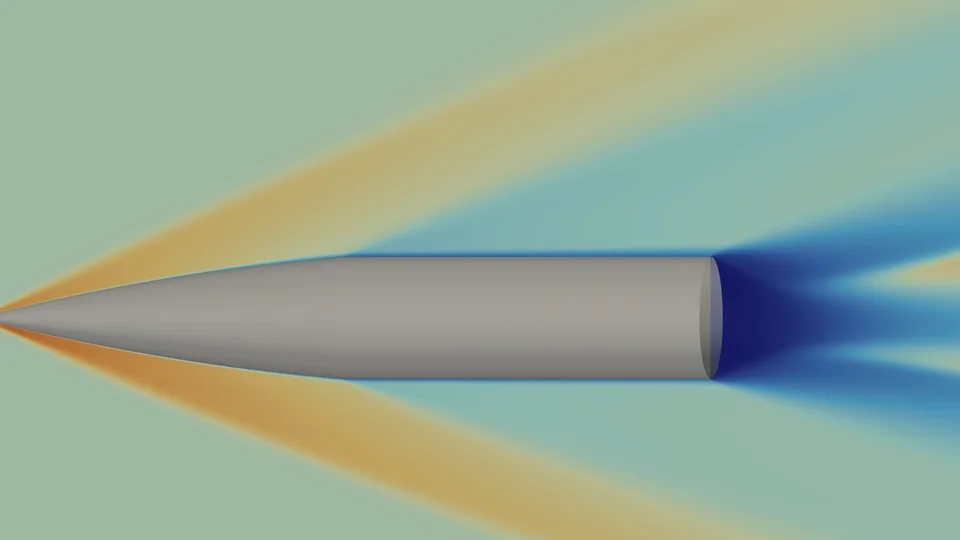
Mach 3 secant-ogive-cylinder, static & Magnus
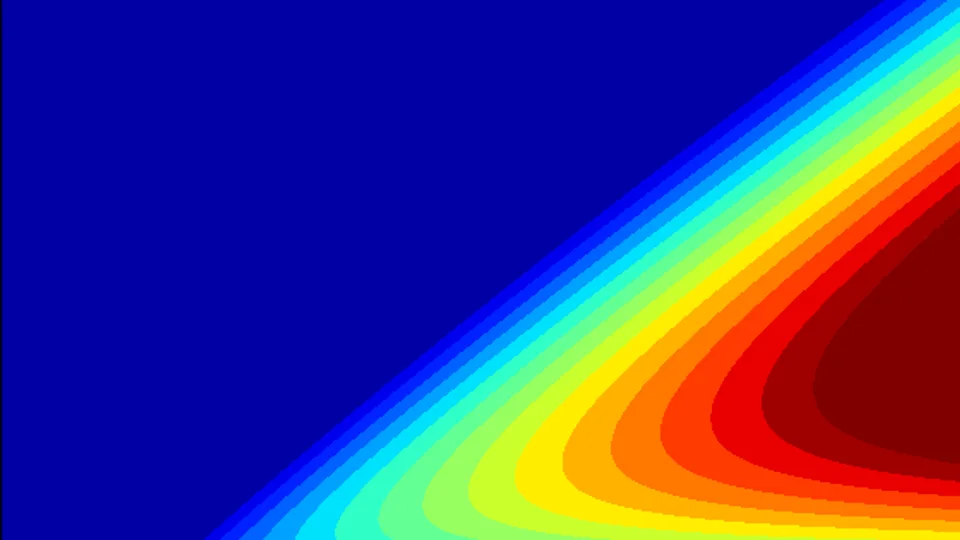
3D SA-RANS, zero pressure gradient
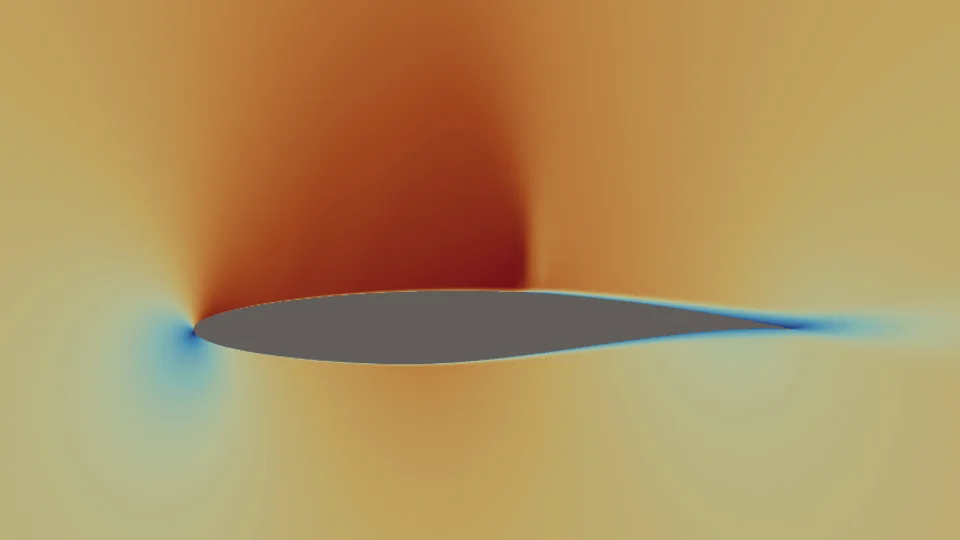
Transonic shock-induced separation
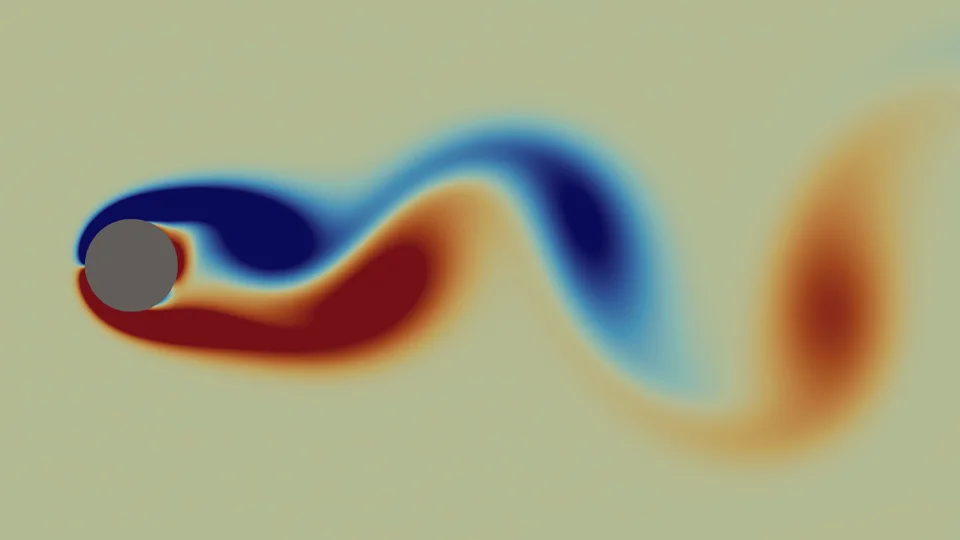
Re = 100 von Kármán, unsteady FR case
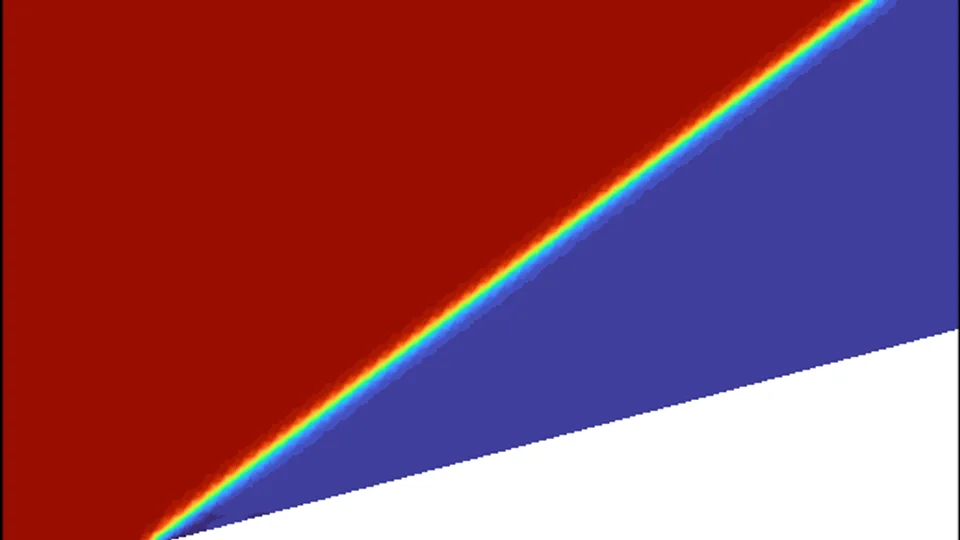
M = 2.5, 15° oblique shock
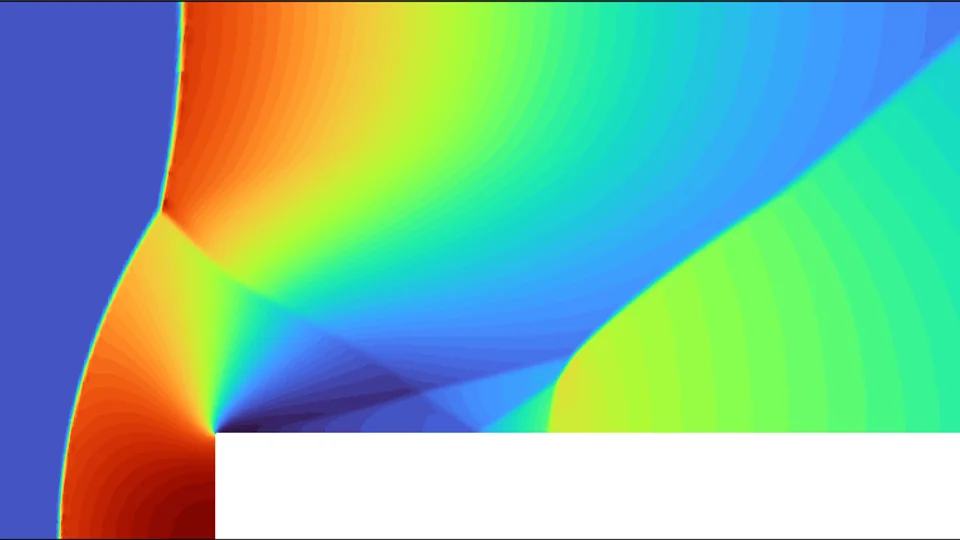
M = 3 supersonic shock system
Wake CFD is currently available as a technical preview. Request access to try the latest Community build and share your feedback.
The Community Edition supports Windows with 1 active GPU and meshes up to 5.12 million cells, and requires an NVIDIA CUDA GPU (Ampere / Ada). For Linux, multi-GPU, larger simulations, or team deployment, tell us about your setup and we will discuss the available options.
No. The Community Edition is free, but it is not released under an OSI-approved open-source license — please check the licensing terms included with each build. There is no restriction on how you use the Community Edition, including commercially.
Both the solver core and the native desktop GUI run on Linux and Windows. A NVIDIA CUDA GPU (Ampere or Ada architecture) is required. The Community Edition technical preview is available for Windows; contact us to discuss Linux availability for your setup.
Wake CFD is designed GPU-native, but it also solves on CPU. The same case runs on a CPU cluster over MPI, and the results are comparable bit-for-bit with the GPU. Speed, however, is decisively in the GPU’s favour.
Yes. We ship an MCP (Model Context Protocol) server, so an AI agent, the desktop GUI, and the backend all share one project model. Wherever a case is set up, it is recorded in the same place and runs the same way.
Spalart-Allmaras and Menter SST RANS models with automatic wall-function blending. Rotating domains are handled with a single rotating frame (SRF), frozen rotor, or sliding-mesh interface.
You can request access to the Community Edition technical preview for Windows. It supports 1 active GPU, 1 concurrent run, and meshes up to 5.12 million cells. If you need Linux, multi-GPU, larger simulations, or deployment within your organization, tell us about your requirements and we will discuss the available options.
The Community Edition is free, with no restriction on use. Take it and run it yourself.
Questions about Wake CFD? We are glad to hear from you.
Contact us